Blender Addon
Clay Mode
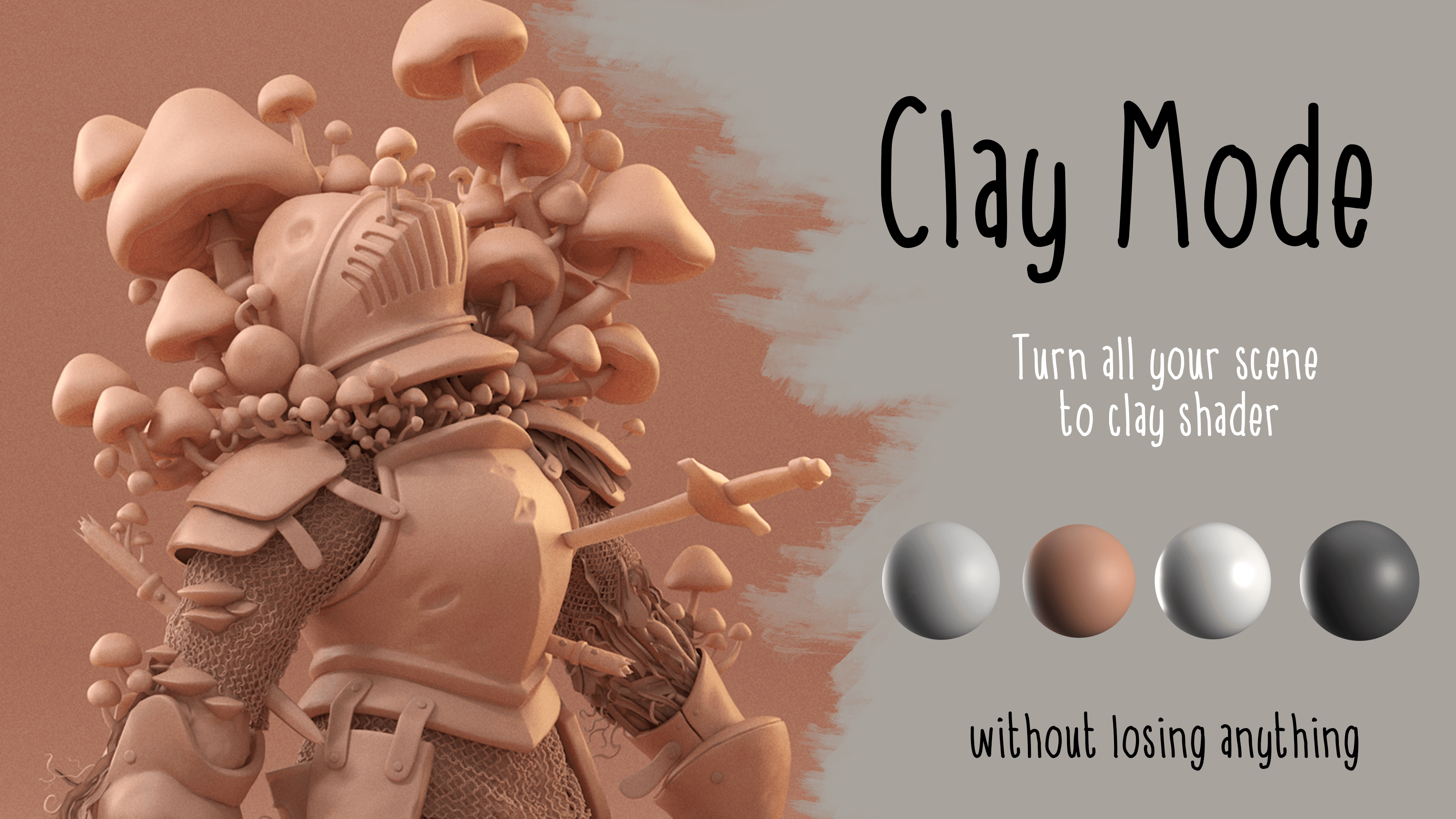
Clay renders for your whole scene, without losing the textures you have set.
Blender
Free60 downloads
Compatibility
Blender 4.2 - 5.x Works with Cycles & EEVEE
Clay Mode is a Blender addon for artists who want a clean clay look without throwing away their surface detail.
Most clay setups flatten your scene into featureless dough — the moment you override materials, your sculpted detail disappears. Clay Mode solves that.
Turn on Keep Detail Maps and it preserves the normal, bump, and roughness textures from your original materials while recoloring everything to clay. Your high-frequency detail survives; only the color and reflectance change.
It runs in two modes depending on what you need.
Override mode is fully non-destructive, it changes nothing in your scene and toggles off instantly, leaving your setup exactly as it was.
Detail mode builds per-material clay copies so it can retain your maps, and restores everything cleanly when you're done. The addon picks the right mode automatically.
Key features:
Preserve normal / bump and roughness maps so sculpt detail stays readable
Alpha retention keeps cutout cards and foliage properly cut out
Cavity darkening drives ambient occlusion into the base color for a sculpted, hand-shaped read
Four presets — Gray, Terracotta, Porcelain, Charcoal — plus full control over color, roughness, specular, and subsurface translucency
Live sliders update the look in real time for interactive lookdev
Scope controls: selected objects only, skip hidden, exclude a collection, or tag any object with a No Clay property to leave it untouchedOptional neutral world for a controlled studio backdrop
Fully reversible — one click restores your original materials and cleans up after itself